
Four Ways Gen AI Will Help Tech Writers in 2024

Image courtesy of Nick Morrison on Unsplash

We’re a few weeks into 2024 and now that we’re past the “best of” lists and the “year in review” lists, there’s a bit of time to take a look at what we might find most productive in the coming quarters. I always enjoy taking a few deep breaths once the frenzy of the year-start fades to look at what I might find truly useful as the daffodils peek their heads up in the park and I begin to feel the true momentum of the year take shape. I kick off the winter blues and roll my sleeves up to dig in.

This year, my company is more sure than ever that we will harness the ever-growing powers of AI as it enters a more mature phase, and I for one am grateful for the embracing of that stance. Artificial Intelligence, especially generative AI, is no longer just a buzzword. Companies are beginning to sift through the hype to discover what is really providing value and what was just marketing hubris. I’m glad of it. I suppose I am glad because I work for a company that knows the difference and tends to put their weight behind it. Sure, we have some applications that are neither artificial nor intelligent, but we own up to the ones that are data and machine learning, and we boast about the ones that have weight to throw around. And that is fun and ambitious.

So I enjoy rolling up my sleeves to explore the ways that Generative AI might improve my work, and I enjoy tossing out the ways that it is a big, fat dud. So let’s look at the four ways I think it might actually improve what I do.

Drafting

First drafts are the things that take up the bulk of any writer’s time, whether tech writer or fiction writer. We know what it is that we want to say, we just aren’t sure how to get started. It’s not writer’s block per se, it’s just the words in our brains don’t spill out on to the page as quickly as we’d like or as smoothly as they should. Our years of training are well suited to editing and refining, which we are likely to have already begun in our heads. It’s the typing that can be painful because it simply isn’t as fast as our thought processes.

But a Generative AI tool is as fast. Faster, even. If we can spin up a good prompt, we can get some of the process started, and that is often enough to grease the wheels and we can take it from there.

Most likely the way we will be able to effectively harness what Gen AI really has to offer is to become adept at crafting and refining the prompts to get us started. I began writing chapters of my book recently by asking ChatGPT to help me organize the table of contents, then I asked it to revise that TOC because it wasn’t quite the way I liked it. The actual TOC looks nothing like it did when good ol’ AI first started it, but what was nice is that it gave me liftoff. I knew in my head what I wanted to do, but the way my creative brain was working was to think of the book as the whole, not its parts. That is awful for a writer. As the saying goes, “you can’t boil the ocean.” Indeed you can’t. And while AI wrote not a single word of this post, that’s because I have been able to think of its component parts. With my book, I was thinking of the whole thing, start to finish, and I needed a hand in visualizing what the chapters might look like. By asking AI to help me out with that, I was able to think of the pieces rather than the whole. It was only then that I could sit down and begin to write.

With that in mind, we as creators will be able to ask Gen AI not to write for us, but to draft for us, so that we can get out of the muck that is stuck in our brains and begin to refine and edit and revise after the foundation is laid. What is left behind as detritus will be much like what we left behind us when we were drafting ourselves – an unrecognizable skeleton of tossed aside word salads. It requires our fine touch to render the work useful and beautiful. Gen AI will have helped us get there faster, much the same way moving from horse to car allowed us to move from place to place more quickly, too.

Automating Q&A

As a tech writer, I cannot even begin to tell you how many times I have been asked to write an FAQ section for documentation.

My answer to this request is always the same. I will not.

I will not write an FAQ because if there are frequently asked questions, I should answer those within the documentation. Sheesh!

And yet.

There remain some questions that indeed, users will face time and again that are unlikely to be answered in the documentation. I get it. No matter how much of a purist I am, I understand that there are frequently asked questions that need frequent answers.

So a technical writer can collate those questions and help develop the chatbot that integrates with a product’s or company’s knowledge repository to answer those repetitive questions effectively. This bot can instantly provide responses in a way that no live writer could, through a call-and-response mechanism that is smoother than static documentation. By leveraging AI, we can ask our tools to ingest data and interpret our users’ needs and provide output that is both relevant and accurate. This can enhance the user’s experience by responding immediately whereas a human might require time to look something up, or might be off-hours or otherwise detained.

AI-powered chatbots are efficient, interactive, and fast. But they serve only after technical writers feed them all they need in terms of information. It’s vital to remember that our AI tools are only as good as the data they are given to start with.

Data

Technical writers will also be very well served by the data that AI can give us. Back when I was in graduate school, we worked very hard to manually enter volumes of information to build dictionaries of strings of phrases and what they meant in general syntax. It was difficult and time consuming. Today, though, thanks to AI-powered tools, we could have completed that project in a fraction of the time.

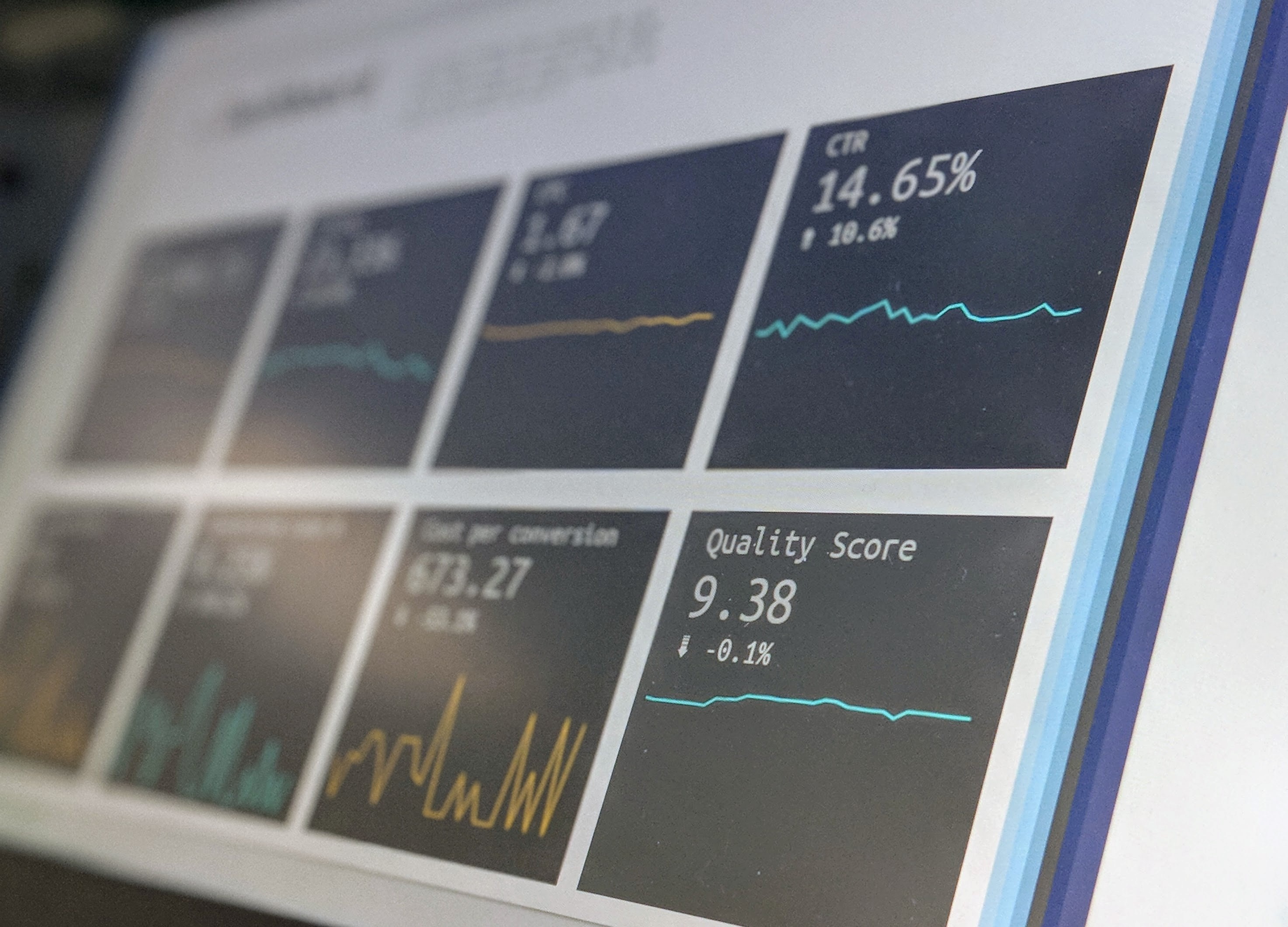
How AI data will benefit tech writers is that it will allow us to gather truly valuable insights into our users’ behaviors and we can stop making what we once knew were educated guesses about their pathways. Tools we have now measure user engagement, search pattern behaviors, and even the effectiveness of our content through click rates, bounce patterns, andmore, and they serve it all up in nice, tidy numbers. We can use this to optimize our content and identify the gaps we see and close them quickly.

Leveraging analytics data allows tech writers now to focus on the content our users access often, the content that interests them the most, and the keywords they search – and do or do not find – with greatest success. Plus, we can now see just what stymies our users and all of this will empower us to create the most targeted content that will greatly improve the user experience.

Optimization

More than just a buzzword, content optimization is probably the most powerful benefit of AI-enabled tech writing. Asking a good AI tool to analyze technical documentation to provide feedback about readability against a style guide and structural rules is probably the best thing we could ask for. Sure, we’ve got things like grammarly and acrolinx to do spot-checking. That’s all well and good. But now AI can help us enhance accessibility, it can help us tailor content for specific audiences, it can allow or disallow entire phrases and terms. We can advance our proofreading capabilities far more than we could before by loading in custom dictionaries and guides.

Tools like grammarly are basic, but with advancing NLP processing tools, the arsenal we have just grows. We can pass our work through a domain-specific tool that offers a profession-specific set of guidelines and lets us examine with a microscope things like acronyms, codes, and more.

The time savings there is not perfect, of course. We’ll still need to copyedit. But imagine, if you will, that every first or second pass of all of our text now is done in mere seconds. All typos are caught by AI so that we can clean up and polish with an editor’s eye not just a proofreader’s.

Sit back with a cup of coffee and really read, not just grab a pencil and mark up a piece of paper the way we used to.

My, that’s nice.

Singing a New Tune in AI – Prompt Tuning

We are all well aware that AI is the hottest topic everywhere. You couldn’t turn around in 2023 without hearing someone talk about it, even if they didn’t know what the heck it was, or is. People were excited, or afraid, or some healthy combination of both.

From developers and engineers to kids and grandmas, everyone wanted to know a thing or two about AI and what it can or cannot do. In my line of work, people were either certain it would take away all of our jobs or certain that it was the pathway to thousands of new jobs.

Naturally I can’t say for certain what the future holds for us as tech writers, but I can say this – we as human beings are awful at predicting what new technologies can do. We nearly always get it wrong.

When the television first arrived, there were far more who claimed it was a fad than those who thought it would become a staple of our lives. The general consensus was that it was a mere flash in the pan, and it would never last more than a few years. People simply couldn’t believe that a square that brought images into our homes would become a thing that eventually brought those images to us in every room of our homes, twenty four hours a day, offering news and entertainment, delivering everything we needed all day and all night. They couldn’t fathom that televisions would be so crystal clear and so inexpensive that every holiday season the purchase of a bigger, better, flatter, thinner television would be a mere afterthought.

And yet here we are.

So now that we’ve got that out of the way, on to total world domination!

But seriously.

If you aren’t already using AI, or at least Gen AI in the form of something like Chat GPT, where are you, even? At least have a little play around with the thing. Ask it to write a haiku. Let it make an outline for your next presentation. Geez, it’s not the enemy.

In fact, it’s so much not the enemy that it can help you outline your book (like I’ve done), revise a paragraph (like I’ve done), or tweak your speech (like I have done many, many times). The only thing you really need to understand here is that you are, indeed, smarter than the LLM. Well, mostly.

The LLM, or large language model, does have access to a significantly grander corpus of text than you can recall at any given moment. That’s why you are less likely to win on Jeopardy than if you were to compete against it. It’s also why it might be true that an LLM competitor might make some stuff up, or fill in some fuzzy details if you ask it to write a cute story about your uncle Jeffrey for the annual Holiday story-off. (What? Your family does not actually have an annual story-off? Well, get crackin’ because those are truly fun times…fun times…). The LLM knows nothing specific about your uncle Jeffrey, but does know a fair bit about, say, the functioning of a carburetor if you need to draft a paragraph about that.

The very, very human part is that you must have expertise in how to “tune” the prompt you offer to the LLM in the first place. And the second place. And the third place!

Prompt tuning is a technique that allows you to adapt LLMs to new tasks by training a small number of parameters. The prompt text is added to guide the LLM towards the output you want, and has gained quite a lot of attention in the LLM world because it is both efficient and flexible. So let’s talk more specifically about what it is, and what it does.

Prompt tuning offers a more efficient approach when compared to fine tuning entirety of the LLM. This results in faster adaptation as you move along. Second, it’s flexible in that you can apply tuning to a wide variety of tasks including NLP (natural language processing), image classification, and even generating code. With prompt tuning, you can inspect the parameters of your prompt to better understand how the LLM is guided towards the intended outputs. This helps us to understand how the model is making decisions along the path.

The biggest obstacle when getting started is probably designing an effective prompt at the outset. To design an effective prompt, it is vital to consider the context and structure of the language in the first place. You must imagine a plethora of considerations before just plugging in a prompt willy-nilly, hoping to cover a lot of territory. Writing an overly complex prompt in hopes of winnowing it down later might seem like a good idea, but in reality what you’ll get is a lot of confusion, resulting in more work for yourself and less efficiency for the LLM.

For example, if you work for a dress designer that creates clothing for petite women and you want to gather specific insights about waist size, but don’t want irrelevant details like shoulder width or arm length and competing companies, you might try writing a prompt to gather information. The challenge is to write a broad enough prompt, asking the AI model for information about your focus area (petite dresses), while filtering out information that is unrelated and avoiding details about competitors in the field.

Good Prompt/Bad Prompt

Bad prompt: “Tell me everything about petite women’s dresses, sizes 0 through 6, 4 feet tall to 5 feet 4 inches, 95 lbs to 125 lbs, slender build by American and European designers, and their products XYZ, made in ABC countries from X and Y materials.”

This prompt covers too many facets and is too long and complex for the model to return valuable information or to handle efficiently. IT may not understand the nuances with so many variables.

A better prompt: “Give me insights about petite women’s dresses. Focus on sizes 0 to 6, thin body, without focusing on specific designers or fabrics.”

In the latter example, you are concise and explicit, while requesting information about your area of interest, setting clear boundaries (no focus on designers or fabrics), and making it easier for the model to filter.

Even with the second prompt, there is the risk of something called “overfitting,” which is too large or too specific. This will lead you to refine the prompt to add or remove detail. Overfitting can lead to generalization or added detail, depending on which direction you need to modify.

You can begin a prompt tune with something like “Tell me about petite dresses. Provide information about sizes and fit.” It is then possible to add levels of detail that the LLM may add so that you can refine the parameters as the LLM learns the context you seek.

For example, “Tell me about petite dresses and their common characteristics.” This allows you to scale the prompt to understand the training data available, its accuracy, and to efficiently adapt your prompt without risking hallucination.

Overcoming Tuning Challenges

Although it can seem complex to train a model this way, it gets easier and easier. Trust me on this. There are a few simple steps to follow, and you’ll get there in no time.

  1. Identify the primary request. What is the most important piece of information you need from the model?
  2. Break it into small bites. If your initial prompt contains multiple parts or requests, break it into smaller components. Each of those components should address only one specific task.
  3. Prioritize. Identify which pieces of information are most important and which are secondary. Focus on the essential details in the primary prompt.
  4. Clarity is key. Avoid jargon or ambiguity, and definitely avoid overly technical language.
  5. As Strunk and White say, “omit needless words.” Any unnecessary context is just that – unnecessary.
  6. Avoid double negatives. Complex negations confuse the model. Use positive language to say what you want.
  7. Specify constraints. If you have specific constraints, such as avoiding certain references, state those clearly in the prompt.
  8. Human-test. Ask a person to see if what you wrote is clear. We can get pretty myopic about these things!

The TL;DR

Prompt tuning is all about making LLMs behave better on specific tasks. Creating soft prompts to interact with them is the starting point to what will be an evolving process and quickly teaching them to adapt and learn, which is what we want overall. The point of AI is to eliminate redundancies to allow us, the humans, to perform the tasks we enjoy and to be truly creative.

Prompt tuning is not without its challenges and limitations, as with anything. I could get into the really deep stuff here, but this is a blog with a beer pun in it, so I just won’t. Generally speaking (and that is what I do here), prompt tuning is a very powerful tool to improve the performance of LLMs on very specific (not general) tasks. We need to be aware of the challenges associated with it, like the hill we climb with interpretability, and the reality that organizations that need to fine-tune a whole lot should probably look deeply at vector databases and pipelines. That, my friends, I will leave to folks far smarter than I.

Cheers!

Optimize! They said. It’ll be fun! They said.

Photo by Tianyi Ma on Unsplash.

Now that all of us write web-based content and can’t even SEE print matter in the rearview mirror, we’ve adapted (or started to adapt) to a whole different set of challenges. I used to organize documentation for release in a binder, so I had to think about tab structures and indeces and a list of other layout technicalities that would make my precious topics finable.

Today, though, I must lean in to Content Optimization. Sounds catchy, doesn’t it? Slick. Advertorial. In some ways, it is. But mostly it’s about the same thing: how to find the gorgeous stuff I’ve written, and essentially how to make that the best end-user experience it can be.

Why should we optimize in the first place? Half of us don’t know for sure what that word means, even. Let’s set some parameters:

Optimized content is written at the right reading level and tone. It is translatable if needed. It is consistent and reliable, not working too hard to say the same thing in two or three ways. It is balanced – between grammatical correctness and ease of reading. That’s pretty much it!

The fun thing about writing technical documentation is that we can optimize before, during, or after composing our prose. As we create new doc, we can roll along just writing stuff the way we want – so long as we go back later to clean it up! Or, we can vigorously adopt optimization principles step by step so that when it’s time to edit, we’ve got a pretty good draft already.

I would venture to say that the primary goal of content optimization is seeing to it that your documentation reaches the largest possible audience within your target. Nobody cares if I write an article all about fashion and the only people who see it are auto mechanics who wear uniforms. See what I mean?

I would also say that making sure your content is visible, especially to web-crawlers, is an important aspect of optimization. Consider the beautiful website that never shows up in Google Search – that writer and designer worked hard on content, but can’t get it off the ground! What a shame.

We know that great content attracts readers no matter what, but what IS “great content?”

For starters, write clearly and relatably with your reader in mind. That is step one no matter when or what you are writing. When my oldest son started college, I reminded him often that the most important factor in his college papers was that his professors were the audience. They were the ones to please, and no one else. Know your audience should be a phrase posted by every content creators desk.

Keep writing NEW content. If things get stale, you have missed the point of optimization altogether. Even if none of the information has changed, good writer-editors will revise again and again over time. It’s just good practice.

Organize content, not unlike the “olden days” when we organized a TOC and an index. Thoughtfully preparing well-organized content is at the heart of a pleasant experience for end users.

Don’t forget images! When we incorporate images and other media into our online content but do not optimize those elements, we’ve lost an important tool. Using title tags, descriptions, alt text, and more can make sure that the images you’ve worked to capture are useful and visible.

Don’t just write for search. All too often, in the pursuit of clicks, writers think too much about SEO and they lose the natural, organic flow of writing and reading. Consumers are more savvy than ever, especially with web-based content, and they catch on quickly if your goal is just to be at the top of the search engine, while you overlook the enjoyment of finding content you need!

Optimization is all about making the experience easy and smooth for all who use the content you create. If we go at it from that point of view, it actually IS fun…like they said.

Med-Tech, Fin-Tech, and MarCom – Oh My!

Photo by Nick Fletcher.

The whole field of technical writing, or professional writing, seems to have expanded like a giant infinite balloon in the last decade. Where previously it was a specialty, now it’s an entire field complete with sub-specializations.

How cool is that?!

I told the story just the other day that when I graduated from high school, I knew I was off to college to major in English. It had always been my best subject, I love reading but I love writing more, and it was just the obvious choice. Except…I also asked for money instead of gifts because I was determined to buy my own computer. Other than some desktop publishing, I couldn’t envision what the two had in common, but I was connecting them somehow.

Had I only known then that I would spend my career as a technical writer, I probably would have gotten a much earlier start. I focused on essays and creative nonfiction, which I later taught until I discovered what I solidly believe is the best professional writing graduate program anywhere – at Carnegie Mellon. Indeed, the robotics and engineering monolith hosts an impressive writing program for students looking at Literary and Cultural Studies, Professional & Technical Writing, and Rhetoric. I opted for the last of the three and am happy with my choice, even though I landed a career in Prof & Tech.

Evangelizing this field is easy for me, even as it becomes more complicated. I can see clearly now that taking an Apple IIGS to college was the harbinger that I would eventually be a software writer. I work now for a major software company and love what I do.

But wait – there’s more. (Please say that in an infomercial voice. You won’t be sorry.)

I wrote proposals for federal-level contracts for a while. I taught Human-Computer Interaction. I edited science articles. The breadth of writing is not unique to me, and it was very helpful.

Because the company I work for delivers software solutions for medical clinical trials. Eureka! Again, that college freshman had zero idea that she could combine a love of writing, and interest in computers, and a genuine interest in science. Back then, the marriage of all three seemed impossible.

And yet…

As a technical writer starting out, it’s perhaps not so important to “find focus” in a given industry. However, once you decide you indeed want to produce professional documentation, specializing in an interest is helpful. There are so many areas to choose from that it’s nearly impossible to NOT find one that is interesting as well as challenging. I would not, for example, find deep satisfaction in writing installation manuals for gas pipelines. But someone does. Someone enjoys that very much. I participated in a review panel for a writing competition and my assigned document was an infant incubator (baby warmer) user manual to be read by nurses. I found the content to be expertly delivered, and yet I had no actual interest in what the device does or how to use it. Give me something about gene therapy research and predictive modeling? I am IN!

Some writers find that they are fascinated by banking, taxes, estate planning and so on – welcome to tech writing for loads and loads of financial applications from Turbo Tax to Betterment. The field is growing so rapidly that every investment tool, firm, and product needs a skilled writer. For those who find dollars and cents and amortization and net worth interesting it’s a huge category, and you can specialize in all sorts of ways. Someone who digs marketing but doesn’t want to be a marketer will find a spot in a real estate app, a travel tool, or even music software like iTunes. They all need documentation. Every. Single. One.

What about the folks who say the documentation is superfluous? While it may be true that an app like iTunes or Netflix is so intuitive that it doesn’t need user doc, the moment a user is stymied and needs an answer, that documentation is one thousand percent necessary.

I often talked with my students about the wide variety of uses for their writing skills, many of which would leave plenty of time for creating poetry, fiction, and the like. Heck, even I write memoir in my spare time.

But it’s Sci-tech, Med-tech, and Bio-tech that butter my bread. If you find any area that interests you, I can guarantee there’s a technical document somewhere for you to write and edit, and it’s all about that field.

How Technical is a Technical Writer? (Answer: It Doesn’t Matter.)

Photo courtesy of Matt Artz on Unsplash

Indeed.com offers a handy definition and guidebook to becoming a technical writer. They define techincal writer as follows: “Technical writers develop documents, user guides and other written materials for technical products and services.”

Not sure I agree. But my disagreement comes from what they write after the definition:

  1. Earn your bachelor’s degree.
  2. Pursue a technical writer certification.
  3. Create a portfolio of samples.
  4. Build up your professional network.
  5. Develop your industry knowledge.

Umm…okay, but also wow. I am on board with #1 because hey, no matter what undergrad degree you obtain, chances are you will take at least a couple of English classes, and at least one of those will be composition-focused. So that’s fair. Next, though – pursue a technical writer certification? Let’s see here…I’ve been working in the field at progressively more senior levels for more than a decade and I do not possess such a thing. Is it perhaps advisable? Okay, yes, but…and this is a significant “but,” it is non-essential. (To be fair the reason I do not have such a cert is that I never worked for a company that would pay for it.) As for #3, a portfolio of samples? One would hope that a good interviewer will be able to ferret out whether you are a capable writer by looking at some college-level essays or asking you to write to a specific prompt. And then? Build up your professional network. Let me tell you, kids, I did this by being a professional. I did not have a network per se until I actually joined the profession of technical writers. As soon as I did that? Blammo – of course I had tons of peers and mentors to choose from. More importantly, I had not only guides in the field of writing but…you guessed it…in technology.

Which brings me to – how technical do you need to be?

I interviewed for my first role as a technical writer having zero real world tech experience. That is to say, I was hoping to work for a company that handled mainframe development. Developing for developers. I knew nothing about mainframe, including how exactly it worked. I ‘fessed up to this in my interview, but also emphasized that I am exceptionally good at self-organizing, I am not afraid to ask questions even if they may make me look foolish (they rarely did), and that I am eager to learn new skills and concepts all the time.

I got the job.

I worked in mainframe software development for quite a few years before moving on. I wouldn’t even have moved on from that company, but I was physically moving my location to a new city, and the position was not remote.

I was not technical.

I later took a position as a proposal writer in the federal government space and knew very little about the automation my company was building, but I had serious chops as a persuasive writer, so again – that is what got me the job. I am a writer, not a developer. I need to learn and understand the technology, not master it.

Now, take all of that in and understand this part – if you can amass technical skill even as a tech writer, you are worth more, and I don’t just mean in dollars. You are a valued asset because you can do things like suggest tweaks to the design, find issues with code functionality, and view the process from a product perspective, not just as end-user. If you have technical capability, you understand what goes in to the product – how the sausage is made, to put it in some vernacular.

Let’s go with that metaphor, in fact – how the sausage is made.

Imagine that you are tasked with writing technical copy, or user manuals, for someone using a new kind of Italian sausage. It’s the kind with the casing and it comes in links, and you need to write about how this can be used “in the field.” There are not installation instructions, but still you are not writing recipes. You are writing the user manual. It’s stuff like “do not remove sausage from its casing,” “cook to an internal temperature of 160,” “refrigerate after opening.” Straighforward, right? Except if you are the original writer of all of this, is it not important to understand that the casing is what holds it all together, the temperature is the safe point at which humans can consume without detrimental effects, and that refrigeration ensures longevity of the product? Of course those are good things to know. You can’t just make that stuff up, arbitrarily deciding on a temperature and whatnot.

You need to have some technical knowledge. But you do not need to know: how the pork is rendered, what farm it comes from, how the machinery operates, what credentials the personnel have who staff the factory, and so on.

In the sausage instance, you would need to be comfortable researching (or asking) abotu safe temperatures and shelf life, but you would not need to be comfortable slaughtering a pig.

Get it?

The takeaway – yes, of course get a degree. Yes, of course develop your knowledge of what you are writing about (you can do this on the job or on your own, but I suggest that job experience outweighs classroom by a long shot). Yes, of course generate some writing samples.

But know this – although you will be an asset if you can code, provide UX, and a host of other technical skills, but at the end of the day, you are a writer. You are a content generator. We all have our area(s) of expertise, and hopefully we are lifelong learners of new skills. Your work will shine brighter than your resume, and your openess will open doors.

Save the true technical knowledge for the SMEs, and learn from them. How technical you are is not tantamount to how well you write technical documentation. Become a strong communicator and all will be well.

Let Me Ask My Analyst.

Such a phrase from the seventies, right? Am I dating myself? Maybe, but hey, I was just a kid back then. I’m all grown-up now, and gaining insights by the day.

The goal of insights are, just as they were in the seventies, when everyone was seeing the original “analysts,” better decision-making. Not much has changed.

I take that back.

A whole lot has changed. We couldn’t have imagined, (or could we?) back when computations were done by punch-cards, that we’d no longer be shrink-wrapping user manuals, but instead looking to true trends analysis to see what our users want from our writing. Now, we are in the realm of truly seeking what patterns in our content are useful and what can go by the wayside, because we know, for instance, that our users no longer need to be told to enter their credentials upon login. They get it. They are familiar with creating passwords, and the concepts that were once totally unfamiliar are now second nature.

It’s a whole new frontier.

Now we are in a new domain.

Companies ask us not to be writers, actually, but content creators, content strategists. I used to scoff at that title, because anyone could use it. There is no credentialing: a licensed content strategist is a unicorn. And yet, real industries call for those who can produce (and produce well) two types of content: structured and unstructured. Yikes!

Structured content can be found. It has a home, a place, it is text-based in the case of email and office or web-based documentation. Unstructured content may include an archive of videos, or even non-text-based things like images and diagrams. There is a huge volume of this type of content, and yet it falls still under the purview of we, the content creators.

Those of us who used to be called “technical writers” or even “document specialists” or something like that find ourselves of course wrangling much more than documentation, doing much more than writing. So the issue became: how do we know if what we are doing works? Are we impacting our audience?

That’s where analysis comes into play and matters. Really, really matters.

Why spend hour upon hour creating a snazzy video or interactive tutorial if no one will watch or, dare I say, interact?

That’s where content analytics comes in.

Analytics measures. Photo credit: Stephen Dawson.

The whole goal of analytics is for us to know who is reading, watching, learning – and then we can improve upon what we’re building based on those engagements. It does little good to create a video training series, only to discover that users don’t have an internet connection on site to watch YouTube. Similarly, it’s not helpful to write detailed documentation and diagrams for users who prefer to watch 2-3 minute video step-throughs. It’s all about knowing one thing: audience. The essential element, always.

The central theme in Agile development, after all, was learning to understand the customer, so the essential element in designing better content, sensibly, ought to be the same thing. When we hunker down and learn what the customer really wants, we develop not just better software, but better content of all types.

With metrics on our side, our companies can identify just what content has real value, what has less, and what can really be dropped altogether. Historically, academic analysis was held to notions of things like how many times a subject blinked while reading an article. (Ho-hum.) Now, though, we can measure things like click-thhroughs, downloads, pauses during video, hover-helps, and more. How very, very cool.

Multiple screens to choose from. Photo credit: Alexandru Acea on Unsplash.

Historically, content analysis was slow, time-consuming, and it was a frustrating process with limited accuracy. Now, though, we can measure the usefulness of our content almost as fast as we can produce it. Content analytics are now available in a dizzying array of fields, reflecting a vast pool of data. The level of detail is phenomenal. For example, I’ll get feedback on this post within hours, if I want. I’ll create tags and labels to give me data that lets me know if I’ve reached the audience I want, whether I should pay for marketing, whether I might consider posting on social media channels, submitting to professional organizations, editing a bit, and so on. I may do all of those things or none of them. (Full disclosure: usually none, unless one of my kind colleagues points out a grievous error. I write for my own satisfaction and to sharpen my professional chops. Just sayin’)

Believe you me, the domain of conent analysis, in all areas, will grow and grow. Striking the perfect chord between efficiency and quality is not just on the horizon, it is in the room. AI-powered writing and editing, paired with the streamline of knowing we’ve reached the proper balance of placement and need – it’s not hyperbole to say the future is here. It’s just turning to my ‘analyst’ to ask whether I’ve written my content well enough and delivered it properly.

My product teams, my business unit, and my company are all grateful. And my work shows it.

Writing From the Other Side of the Screen

What it Means to be a UX-centric Tech Writer

Image: UX Planet

I have been part of the information design and delivery field for nearly two decades now. In one form or another, I have been handling technical information, whether in software, government, or higher education for the better part of my career. It sure has changed quite a bit since I first mapped out my first website, I can attest to that.

To begin with, technical writers came along as the necessary bridge between subject matter experts and customers or consumers. In my original field of higher education (I taught at an R-1 University for quite a while), we worked on the notion that some people were suited for engineering, development, science, and so forth, and some people were suited to understand and explain it in laymen’s terms. For quite some time, passive voice and distanced-language was the norm.

A paradigm shift occurred when we all realized that technical manuals – installation guides, user documentation, and troubleshooting – were all far more palpable if we just wrote them the same way we would explain the processes themselves. Eureka! “Plain Language” was born. One of the leaders in the charge was teacher and scholar Erwin Steinberg. Steinberg championed many advances in technical and professional writing, and moved the needle considerably in conciseness and clarity. (And yes, indeed, Carnegie Mellon is both where I studied and where I taught, so to say I am an acolyte is an understatement.) Steinberg’s text, written along with William Schutte, “Communication in Business and Industry” is arguably almost as relevant today as it was when it was published more than fifty years ago.

What has changed in the years since that first technical writing undergraduate major was launched is the centricity of the way we write technical text. When technical writing fully hit its stride, not long after the personal computer and internet became a true staple of both home and work, the locus of technical writing shifted from the technical user to the everyday user.

Specializations emerged that are now necessary to our function in everyday business that were unforeseeable before. UX and Instructional designers now must envision and create personas for the users in their fields, and imagine who is on the other side, who is consuming their creations and not just how, but why.

Just as automobile designers, fashion designers, and creators of every type in every field, now those of us at keyboards in the technical realm turned to think of our end users not as savvy experts, but as new consumers with specific desires and needs that must be filled, or who would move on to companies with products that could give them what they want at breakneck speed.

In the early 1990s, a hastily written user guide could balloon into the hundreds of pages if we weren’t careful, and little thought was given to the overall design.

Now that we tend to write by working in an Agile environment, more on board with the development team from the start, and with more input in the scope, we can bring a design thinking mentality to the process. The difference between writing and end-to-end manual and wireframing a useful knowledge base website is vast – and fun!

Thinking like a strict technical writer, we might cover every detail, from turning on the machine to creating and logging in with user credentials, to an entire step-by-step process that users are now wholly familiar with.

Thinking like a UX writer, though, we can liberate ourselves from much of that clutter by recognizing that our clientele know full well how to turn on their machines, they understand what it means to log in, they don’t need words like “navigate,” “click” or “enter.” Those are all useless fluff the same way that passive voice once was. The sooner we move on, the better.

As a strict tech writer, I found that rarely did my colleagues engage in discussions with customers about how to improve or streamline their documentation. I got feedback from peers that were mortified at the thought of interacting with their users. But in a UX writing environment, it’s informative and enjoyable to gather feedback from how our users actually apply our work. Knowing what works, and what doesn’t, what is exciting and what fails, helps to create better and better documentation.

In the new formats we are applying, UX writers often have limited information bandwidth, since many of us work on apps and app messaging. A UX writer could realistically have to craft a message that uses:

  • A 30 Character Headline
  • A 45 Character Body
  • 25 Character Buttons or Tags

With these limitations, UX technical writers must be concise, thoughtful, and creative to get the job done and done well. We have to consider user-types, roles, and information delivery in microcopy without losing messaging.

This is, in part, why companies like SalesForce have turned to humor in their technical copy. There’s little room for elaborate text, so having a bit of fun with graphics or pop-ups along the way eases the tension. Take, for example, the cute little bear they use on their learning platform. Not exactly a serious guy.

If you’re interested in upskilling a bit when it comes to Microcopy, a skill that is fairly essential in a technical UX sense, Udemy has an excellent short course. Surely other providers will follow, but so far this is my preferred resource. (Note: I get no reward, it’s just that I have found Udemy to provide good content in this area thus far. Please leave a comment if you have found other useful tools.)

Any of us who fancy ourselves “Content Strategists,” “Content Designers,” or just user advocates when it comes to text and information delivery will be coming up short if we fail to consider UX a vital part of what we do.

Long gone are the days when we must write a soup-to-nuts technical manual. Gone are the users who do not understand how to log in, how to set up credentials, how to read a page, navigate through menus, and so on. Solid research tells us that toddlers are capable users of iPads and cell phone screens. Today’s teens have no notion of what a rotary dial phone is or could be used for, and little idea of the purpose of a cassette tape, but are fully versed in the multitude of Snapchat filters and can adapt to a new iOS software update with no information in under 24 hours.

That, my friends, is our audience. A thousand-page manual is useless, but a thoughtful troubleshooting guide is golden.

Think about who is on the other side of the screen, what troubles they may encounter, and solve them. IF the interface is well-done, the documentation can (and should) be minimal. The help should be robust, and the instructions few. Provide a backup plan for pain points, and explanations for tricky areas, remembering that the tricky areas spotlight poor design. If we write as UX advocates, we will never be out of work, because our designers will help us design better, and there will always be more users for our greater creativity.

Are You a User Advocate? You Should Be.

Technical writers wear a lot of hats. That almost goes without saying. And yet, I said it. We are called upon to have “jack of all trades” qualities that stretch into the domains of information design, quality assurance and testing, marketing, and more. There are splashes of business analysis (oftentimes more than splashes), and creativity, lightweight programming, and definitely time management planning.

It takes a natural curiosity and desire to learn to be a successful tech writer, and anyone without significant attention to the details that matter won’t get far. Getting bogged down in minutiae and useless side-work won’t do you any good, but the meat and potatoes – the grammar and syntax, the user understanding – that is where the rubber meets the road.

This is why I call out the question. Are you a user advocate? If you don’t approach all your technical writing as a pathway to advocate for your reader, you are likely missing a great opportunity.

Start with Help Content. Everything from software applications to mobile phone instructions beg for a rich help content guide for users. Without a doubt, users come to the Help when they have a pain point. They are either brand-new, looking to get up and running, or they have hit a snag, and they want to get back at it. There’s no time to waste, so getting the Help right is crucial.

The only way to draft an exceptional Help Content section is to think like your reader, and advocate for her. “What would annoy me most? How can I fix that? What would make me happy? What is the simplest path forward?” When you answer these questions, you write good (even great) Help.

Process Modeling is another area where advocating for your users is what puts you over the top. Remember that there are users out there who thrive on the IKEA diagram style of directions for process, just a simple picture show-and-tell, but there are also those of us who totally cannot follow those drawings and are utterly lost from page one. To advocate for both sets of learning styles, a good tech writer will layer-in a smattering of both, covering the bases visually and linguistically with a seamless pairing.

If conveying information to users in a way that meets their needs means adding flow charts or tables, then model that process from end-to-end and put yourself in your user’s shoes. It works every time.

Rinse and Reuse is a motto I’ve lived by as a user advocate. Many writers and managers call this “single sourcing” but that is just a fancier way to say, “if you wrote it well the first time, don’t write it again.” Walk yourself through the user’s journey, and if there is another place to use your elegantly written prose, do that. Familiarity doesn’t breed contempt, it breeds comfort. A user feels heard and recognized when he sees the same comforting words again. He feels knowledgeable. Wise. Learned. So, rinse off your documentation, excerpt it, use it again. Either link back to the original or include a whole page. It’s comfy.

Design like a trainer. User advocacy in technical writing means, in large part, thinking like a teacher. We never want a reader to feel like we are being condescending of course, but we do want to be on the journey with him, teaching him as we go. Incorporating good text design, like a lesson plan, is absolute user advocacy. Good teachers seek to elevate their students to a new level of accomplishment, and good tech writers should seek the same outcome for their readers. Have you noticed how much friendlier installation and process documentation has become? There’s a reason for that. Just as teachers no longer scold kids with a ruler to the hand, tech writers have softened their approach as well. It’s about elevating the experience, not just imparting the information.

Do these fit well and match my outfit?

By and large, if you put yourself in your reader’s shoes and ask yourself, “Do these fit well and match my outfit?” then you have begun the advocacy path to technical writing. More simply put, write like your reader, and speak up for her. You’ll improve your product, your outcome, and you will, at the end of the day, be a much-improved technical writer.

It’s All About AI. The Data Told Me So.

AIA conversation with a (junior) colleague this morning started off with “How did you decide to reformat your Best Practices Guide?” and moved on to things like “But how did you know that you should be working in Artificial Intelligence and VUI for this search stuff? I mean, how do you know it will work?”

I couldn’t help but chuckle to myself.

“Rest assured,” I said. “Part of it is just that you know what you know.  Watch your customers. Rely on your gut. But more importantly, trust the data.” The response was something of a blank stare, which was telling.

All too often, tech writers – software writers especially it seems, although I do not have the requisite studies to support that claim – are too steeped in their actual products to reach out and engage in customer usage data, to mine engagement models and determine what their users want when it comes to their doc. They are focused on things, albeit important things, like grammar, standards, style guides, and so on. This leaves little time for customer engagement, so that falls to the bottom of the “to-do” list until an NPS score shows up and that score is abysmal. By that time, if the documentation set is large (like mine) it’s time for triage. But can the doc be saved? Maybe, maybe not.

If you’re lucky like I am, you work for a company that practices Agile or SAFe and you write doc in an environment that doesn’t shunt you to the end of the development line, so you can take a crack at fixing what’s broken. (If you don’t work for a rainbow-in-the-clouds company like mine, I suggest you dust off your resume and find one. They are super fun! But, I digress.)

Back to the colleague-conversation. Here’s how I knew to reformat the BP Guide that prompted the morning conversation:

I am working toward making all of my documentation consistent through the use of templating and accompanying videos. Why? Research.

toiletAccording to Forrester, 79% of customers would rather use self-service documentation than a human-assisted support channel. According to an Aspect CX survey, 33% said they would rather “clean a toilet” than wait for Support. Seriously? Clean a toilet? That means I need to have some very user-friendly, easily accessible documentation that is clear, concise, and usable. My customers do NOT want to head over to support. It makes them angry. It’s squicky. They have very strong feelings about making support calls. I am not going to send my customers to support. The Acquity group says that 72% of customers buy only from vendors that can find product (support and documentation) content online. I want my customers’ experience to be smooth and easy. Super slick.



In retail sales, we already know that the day your product is offered on Amazon is the day you are no longer relevant in the traditional market so it’s a good thing that my company sells software by subscription and not washers and dryers. Companies that do not offer subscription models or create a top-notch customer experience cease to be relevant in a very short span of time thanks to thanks to changing interfaces.

Image result for artificial intelligence

I’m working to make the current customer support channel a fully automatable target. Why? It is low-risk, high-reward, and the right technology can automate the customer support representative out of a job. That’s not cruel or awful; it’s exciting, and it opens new opportunities. Think about the channels for new positions, new functions that support engineers. If the people who used to take support cal


ls instead now focus on designing smart user decision trees based on context and process tasks as contextual language designers, it’s a win. If former support analysts are in new roles as Voice of the Customer (VoC) Analysts, think about the huge gains in customer insights because they have the distinct ability to make deep analyses into our most valuable business questions rather than tackling mundane how-to questions and daily fixes that are instead handled by the deep learning of a smart VUI. It’s not magic; it’s today. These two new job titles are just two of the AI-based fields that are conjured by Joe McKendrick in a recent Forbes article so I am not alone in this thinking by far.

His research thinking aligns with mine. And Gartner predicts that by 2020, AI will create more jobs than it eliminates.

So as I nest these Best Practices guides, as I create more integrated documentation, as I rely on both my gut and my data, I know where my documentation is headed, because I rely on data. I look to what my customers tell me. I dive into charts and graphs and points on scales. The information is there, and AI will tell me more than I ever dreamed of…if I listen closely and follow the learning path.

Neural-Network-640x360


Refiguring The Primary Measure of Progress

pencilIn Agile Software Development,

“working software is the primary measure of progress” and the manifesto values “working software over comprehensive documentation.”  That is all well and good, but as a writer, I often pause on that one word – comprehensive. I take a moment there and wonder who determines what comprehensive means, and whether sometimes we leave the customer, and the customer’s needs, in the dust when we use that word.

instructions2

Before every developer everywhere has a head explosion, I think we can all agree that expansive documentation is silly and frivolous. So maybe I would swap out comprehensive for expansive. Perhaps I’d have chosen “frivolous documentation,” or “needless documentation.” I’m just not sure I would have chosen the word comprehensive. I get what the manifesto is going for. I do. I want to create lean, usable doc every time. I don’t want to give more than is needed. I want to respond to change fast. My goal is accurate, deliverable doc that addresses stakeholder needs. I suppose I would like to think that, by definition then, my doc is complete, or…comprehensive…in that it includes everything a customer needs. But I agree that I don’t want it to include anything more. I just want to avoid coming up short.

What if I rewrote the twelve principles from a doc-centric focus? Would they work just as well?

  1. My highest priority is to satisfy the customer through early and continuous delivery of valuable documentation.
  2. Welcome changing requirements, even late in documentation. Agile processes harness edits for the customer’s competitive advantage.
  3. Deliver accurate documentation frequently, from a couple of weeks to a couple of months, with a preference for the shorter timescale.
  4. Business people, developers, and writers must work together daily throughout the project.
  5. Write documentation around motivated individuals. Give them the environment and support they need and trust them to get the doc written.
  6. The most efficient and effective method of conveying information to and within a writing team is face-to-face conversation.
  7. Clear, concise documentation is the primary measure of progress.
  8. Agile processes promote sustainable writing. All team members should be able to maintain a constant pace indefinitely.
  9. Continuous attention to linguistic excellence and good design enhances agility.
  10. Simplicity – the art of maximizing the amount of writing not done or words not written – is essential.
  11. The best architectures, sites, and manuals emerge from self-organizing teams.
  12. At regular intervals, the team reflects on how to create more effective doc and then adjusts accordingly.

Okay, so some of this is silly, and I just wasted twelve lines by playing it out all the way to the end, but it was for good reason. Continuous deployment can happen not just with techmanualdeveloping software, but in the embracing of documentation as part of that software, but instead it is often “kicked to the curb” by many teams as a misinterpretation of that one element of the original manifesto.


It’s not that documentation should be cast aside; it’s that comprehensive documentation is being misunderstood as frivolous or extraneous documentation.

I did not realize that this was a pernicious issue quite so much until I was giving a workshop to a small class of new developers from across my company, hailing from a variety of offices, and they looked at me funny when I described some of how my team does doc (we are pretty good at the whole agile thing, but sometimes we regress into “mini-waterfalls” and I hate them). One of the young devs was astonished that I manage to get my developers to hand over documentation early in the process so that I have it in a draft state, while the code is still being written, not after the code is all in place. It’s a struggle, I’ll admit, but when I this happens, the result is a joyous celebration of shared workload and well-written doc. We can collaborate, change, shift and learn. And the sprint goes more smoothly with only minor changes at the end, not a doc dump in week 4.

To teams who are not doing this: cut it out with the waterfall, guys. Doc is essential, and your users need it. Otherwise, they are calling support and costing your company thousands with every call. Change your practice and build your doc while you build your product.

You might be asking, “How can you possibly write the doc when you haven’t written the code?”

You are not the first person to ask this, trust me. The answer is pretty simple. A long, long time ago, you couldn’t. Or, at least it wasn’t wise to, because it was a redoubling of work. When writers put their stuff into pdfs or word documents, and then had to make major changes, it meant a bunch of editing and rewriting things. Therefore, developers got in the habit of writing all of the code, then examining the processes and hunkering down to crank out the doc. Fair enough. Now, though, we developed wiki spaces and collaborative tech writing tools that now allow inline editing and let developers look at the cool formatting and linking that tech writers have done with our work.

And – before the code even gets written, there is a design plan in place, and usually a design document to go with it. There are code specifications, right? You can have a nice chat with your friendly tech writer and go over this, either through a face-to-face (see Agile point #6) or via any of the vast number of other tools designed to communicate with your team. Before a developer starts coding, there is a project plan – share that plan. Once the general information has stabilized, it’s okay to let the writer have at it. The benefit is that the writer is having her way with the general plan while the developer is coding away. At the end of both work days, the writer and developer have each created something. In a typically short iteration, it is unlikely that the coding will change significantly, so the two can touch base frequently to mark changes (See Agile point #4).

Are there risks to this process? Of course, just like there are with waterfall. Remember that with waterfall, there were a fair amount of times that programming crept right up to the deadline and documentation was hastily delivered and could therefore be sloppy and lacking. And in this method, it is far easier to tell you about writing documentation continuously than it is to actually do it. It takes time, it takes effort, and it takes dedication – because the primary risk for doc is the same as it is for the software: that the customer’s need will change midstream. That problem was (more or less) solved by short iterations in development, and it is (more or less) solved the same way in documentation.mario

The benefit is this – by writing the doc alongside the development, you can be sure that you deliver the doc in sync with the product. You’ll never sent the product out the door with insufficient instruction, and you will never cost your company thousands of dollars in support calls because your customers don’t understand how the product works or how to migrate it. But deliver a product without comprehensive – yes, I’m back to that word – deliver it without a complete doc set, and you may regret it. Trial and error is okay if you want to see how fast Mario can get his Kart down the hill in order to beat Luigi and save the princess, but do you really want to rely on that when the client is a multi-million dollar bank?

I’ve been teaching writing and writing processes for a very long time, and believe me, the action of draft, revise, revise, revise is not new.

It’s just Agile.